If there are questions you want to ask. We will answer all your questions.
What is andOdoo?
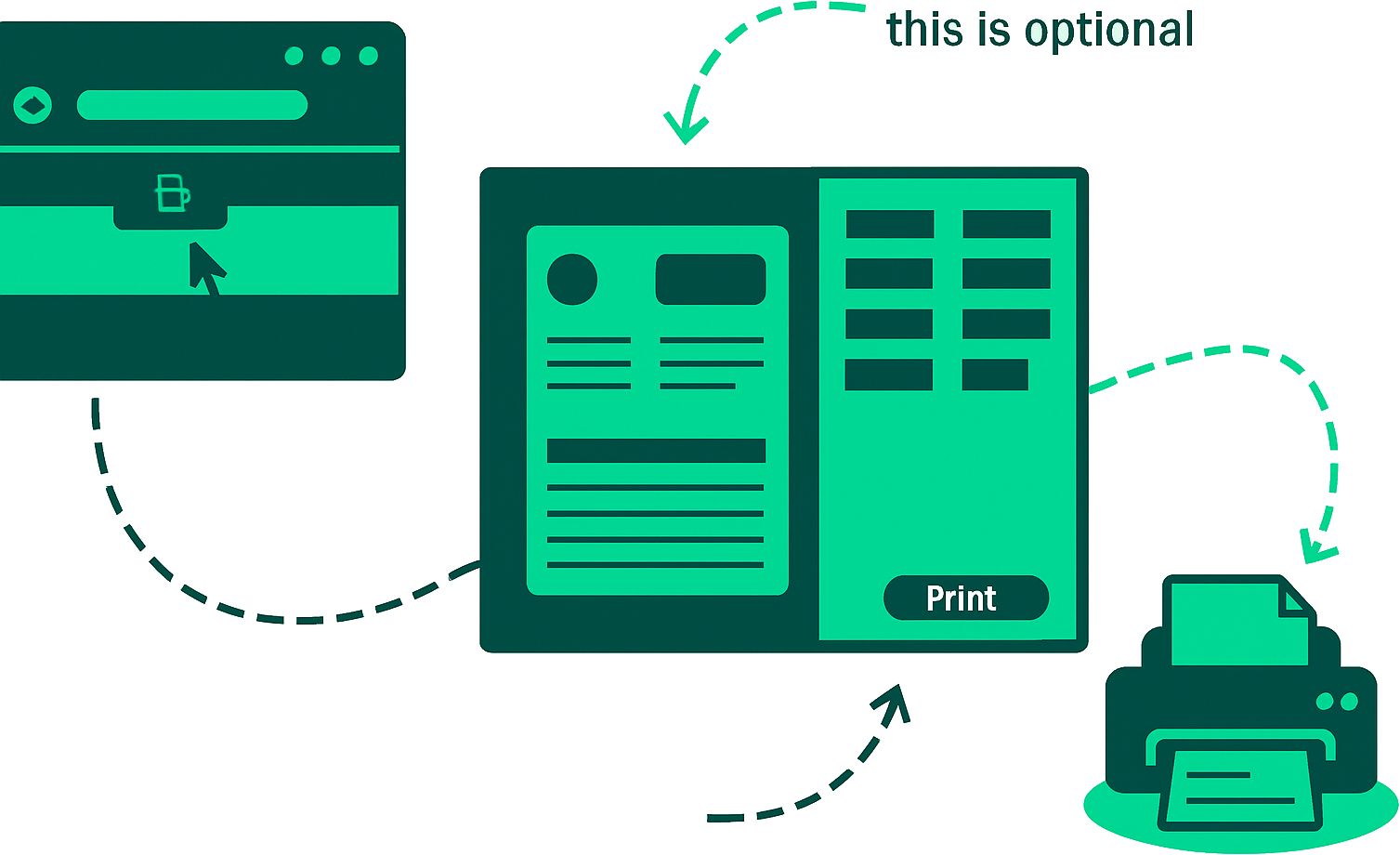
andOdoo is a print delegate solution for Odoo, enhancing printing capabilities. It includes an Odoo addon and a desktop app. The addon captures print jobs (optionally rendering PDFs on the client-side for faster performance) and sends them to the desktop app, which directs them to your chosen printer.
Does the desktop app need to be installed on my PC?
Yes, the desktop app handles the direct communication with your printers. Installing it on your PC (Windows, macOS, or Linux) is required for andOdoo to function.
Which operating systems are supported?
The desktop application currently supports Windows 10/11, macOS, and Linux. Support for Android devices is planned.
How do I connect a printer?
Andodoo automatically discovers printers configured in your operating system. Simply add your printer (USB or network) to your OS, and andOdoo will be able to use it. No special driver installation within andOdoo is needed.
What types of printers are supported?
andOdoo works with most standard printers (cable-connected or network) recognized by your OS. It also specifically supports thermal label printers using the ZPL protocol and receipt printers using the ESC/POS protocol (compatible with Odoo PoS).
How does andOdoo improve performance?
andOdoo utilizes client-side PDF rendering using the efficient `libwkhtmltox` engine. This can speed up report generation significantly (up to 50% faster) compared to server-side rendering by leveraging your computer’s resources and caching fonts/styles locally.
Is there a subscription fee or printing limits?
No, andOdoo is available with a single upfront payment. There are no recurring subscription fees, and you get unlimited print quotas.
How can I get my license key?
After purchase, you will receive an email containing your License Key.